
You are using an out of date browser. It may not display this or other websites correctly.
You should upgrade or use an alternative browser.
You should upgrade or use an alternative browser.
MS accdb some commands stopped working
- Thread starter J_Rich
- Start date

- Local time
- Today, 05:25
- Joined
- Sep 28, 1999
- Messages
- 8,208
Welcome to Access World! We're so happy to have you join us as a member of our community. As the most active Microsoft Access discussion forum on the internet, with posts dating back more than 20 years, we have a wealth of knowledge and experience to share with you.
We're a friendly and helpful community, so don't hesitate to ask any questions you have or share your own experiences with Access. We're here to support you and help you get the most out of this powerful database program.
To get started, we recommend reading the post linked below. It contains important information for all new users of the forum:
https://www.access-programmers.co.uk/forums/threads/new-member-read-me-first.223250/
We hope you have a great time participating in the discussion and learning from other Access enthusiasts. We look forward to having you around!
We're a friendly and helpful community, so don't hesitate to ask any questions you have or share your own experiences with Access. We're here to support you and help you get the most out of this powerful database program.
To get started, we recommend reading the post linked below. It contains important information for all new users of the forum:
https://www.access-programmers.co.uk/forums/threads/new-member-read-me-first.223250/
We hope you have a great time participating in the discussion and learning from other Access enthusiasts. We look forward to having you around!

- Local time
- Yesterday, 23:25
- Joined
- Feb 28, 2001
- Messages
- 31,005
This is such a wide-open question that it is impossible to answer in this form. The question is "WHAT happened last night?"
When you attempt to make updates, what happens? Do you get an error message? If so, what does it tell you.
Your question, as asked, is like going to a doctor and saying "Doc, I don't feel so good. Can you help me?" You KNOW the doctor would ask you for symptoms and medical history. Well, we are like that doctor, looking for symptoms and event history. Without something to go on, we have zero hope of answering you.
The fact that it happened last night and the date of your question says that it would have been a Monday night means my favorite answer doesn't even apply unless your computer had been off for several days before last night. So offhand, all I can say is consider what I asked.
Tell us what this app is supposed to do. Tell us how you use it. Tell us what it is doing now that is different. THESE are the kinds of questions we will need answered.
When you attempt to make updates, what happens? Do you get an error message? If so, what does it tell you.
Your question, as asked, is like going to a doctor and saying "Doc, I don't feel so good. Can you help me?" You KNOW the doctor would ask you for symptoms and medical history. Well, we are like that doctor, looking for symptoms and event history. Without something to go on, we have zero hope of answering you.
The fact that it happened last night and the date of your question says that it would have been a Monday night means my favorite answer doesn't even apply unless your computer had been off for several days before last night. So offhand, all I can say is consider what I asked.
Tell us what this app is supposed to do. Tell us how you use it. Tell us what it is doing now that is different. THESE are the kinds of questions we will need answered.
Understood and as stated I am new here so I will catch on.
I use the system to store records in individual locations for prompt retrieval. When needed, I'd click the search button to locate it, that works fine. What's not working is the following buttons: add record-delete-save. It's also not allowing me to select anything from my combo boxes to update data.
I use the system to store records in individual locations for prompt retrieval. When needed, I'd click the search button to locate it, that works fine. What's not working is the following buttons: add record-delete-save. It's also not allowing me to select anything from my combo boxes to update data.

It was working fine yesterday but this morning it was doing what I previously stated. I just checked it again and the weirdest thing, it's working as intended now. I don't know what happened to it but.... it's working. Sorry for any confusion
No, it's not read only. I'm curious what caused it to not work this morning.Is the DB file read only?


I have backups but those were responding in the same way. I make backups periodically for this reason.If you do not have a recent backup, you might wish to make one now.
Seems possible, This DB is shared and used by 30-35 people but all are gone home by 5 pm. One of them may have left there's open.Perhaps you had an existing copy of the file left open & then opened a new instance of it. This could have caused some records / actions to become 'locked'
- Local time
- Yesterday, 23:25
- Joined
- Feb 28, 2001
- Messages
- 31,005
Since you inherited this DB from your colleague, I have to ask if you know whether this is a split database with front end and separate back-end files. If you had a ragged closure that left a particular file (the .LDB or .LACCDB file) open, a temporary outage is not only possible but likely.
It is already split with a backend db. I've had it and have been using it for a few years and this has never happened until yesterday. The database started working again earlier today. However, I'm still curious what caused it to not operate as intended.Since you inherited this DB from your colleague, I have to ask if you know whether this is a split database with front end and separate back-end files. If you had a ragged closure that left a particular file (the .LDB or .LACCDB file) open, a temporary outage is not only possible but likely.
- Local time
- Yesterday, 23:25
- Joined
- Feb 28, 2001
- Messages
- 31,005
The simplest explanation, but not likely to be the ONLY possible explanation, would be that a user had an abnormal exit that locked the lock file. When that same user logged back in, since they owned the file lock, if they had a normal exit, they cleared the lock - and let everyone else in. If so, there was one person who DIDN'T see the problem - because they were the cause.
But that's not the only possible explanation.
But that's not the only possible explanation.
Thank you so much for your time and sharing your experience about my concern. Question, is there a way to know who would have my file locked in the event I need to find that out. As you mentioned, there are other possible causes for the disruption in functionality.The simplest explanation, but not likely to be the ONLY possible explanation, would be that a user had an abnormal exit that locked the lock file. When that same user logged back in, since they owned the file lock, if they had a normal exit, they cleared the lock - and let everyone else in. If so, there was one person who DIDN'T see the problem - because they were the cause.
But that's not the only possible explanation.
- Local time
- Yesterday, 23:25
- Joined
- Feb 28, 2001
- Messages
- 31,005
is there a way to know who would have my file locked in the event I need to find that out.
Yes and no. Understand first that there are TWO locks in question. One is the .LDB or .LACCDB file, which contains information on file locking within your Access app file. The other is the WINDOWS file lock on the .LDB/.LACCDB file, because in order to use that file you have to interact with the file system locks. To do this correctly, you would need to know who owned the file system's locks. It would be possible to open the lock-file with NOTEPAD to see the usernames that are in it, but the problem is that only one of the names is likely to be your culprit. The others are just long for the ride. The real trick is therefore not necessarily the content of the lock file, but the person who locked the lock file. Some parts of how you do that would require admin rights, which you might not have. Here is an article on identifying the owner of a file lock.
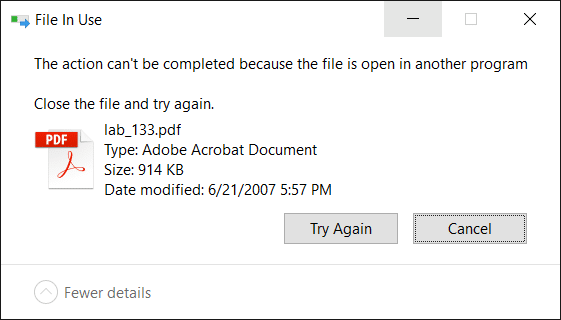
How to Find Which Process has Locked a File in Windows
When you attempt to delete a file or folder which is in use by a process, the File In Use dialog appears showing the name of the program that has locked the file. However, there are cases where the…
 www.winhelponline.com
You might, however, simply need to force-unlock the file.

Unlocking Files from Command Line
Hello, I'm working on an Unreal project with a small team of five and we've noticed a few files were "exclusively locked" while actually none of us had them locked on our machines. I think it is because I recently changed the Lock rules of the repository to stop locking .uasset files and I think ...
forum.plasticscm.com
Note that this might also require admin rights depending details of the locks and WHY the file is still locked. If the session/connection is still open, you might have to try to kill the user session, and THAT is where rights become an issue.
Similar threads
- Replies
- 26
- Views
- 3,777


- Replies
- 5
- Views
- 291
- Replies
- 11
- Views
- 931

Users who are viewing this thread
Total: 1 (members: 0, guests: 1)